
Korea SIM vs eSIM is one of the first practical decisions travelers face before landing in South Korea. You need mobile data for maps, subway routes, translation, hotel messages, taxi apps, restaurant searches, and emergency contact. The best option is not always the cheapest one. It depends on your phone, whether you need a Korean 010 phone number, when your flight arrives, and how many people will share the connection.
This 2026 guide compares Korea eSIM, physical prepaid SIM cards, pocket Wi-Fi, and international roaming for English-speaking tourists. Prices, pickup locations, and plan details can change, so use this article as a decision guide and confirm the final terms on the official provider page before purchase. Information was checked on September 6, 2026.
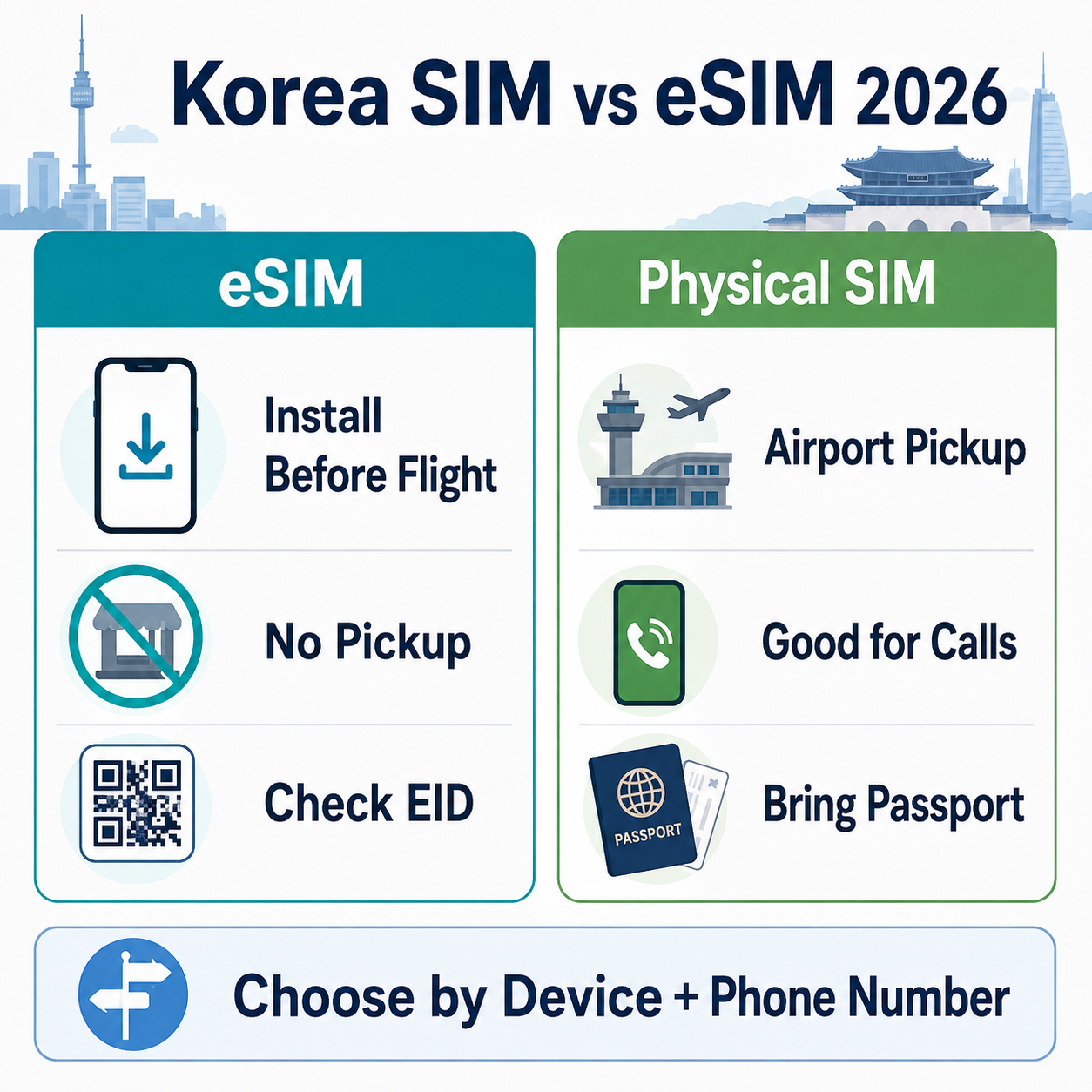
Korea SIM vs eSIM: Quick Answer
| Traveler Type | Best First Choice | Why |
|---|---|---|
| You have an unlocked eSIM-compatible phone | eSIM | Fast setup before departure, no airport pickup line, easy for data use |
| You need a Korean 010 number for calls or SMS | Physical SIM or data+voice eSIM | Voice/SMS and number features can depend on passport verification and plan type |
| Your phone is locked or does not support eSIM | Physical SIM or pocket Wi-Fi | eSIM may not install or connect correctly |
| You are traveling as a family or group | Pocket Wi-Fi or multiple eSIMs | Pocket Wi-Fi can share one connection, but must be charged and returned |
| You are staying only 1-2 days | Roaming or short eSIM | Convenience may matter more than small price differences |
What Is the Difference Between SIM and eSIM?
A physical SIM is a small removable card that you insert into your phone. A Korea travel SIM is usually picked up at the airport, a convenience store, or a roaming counter after showing your passport or voucher. It is familiar and useful if your phone does not support eSIM or if you prefer counter help.
An eSIM is a digital SIM profile installed by scanning a QR code or following a mobile setup link. You do not need to remove your home SIM card. For many travelers, this is the easiest way to get online quickly after landing, but your phone must support eSIM and must be carrier-unlocked.
| Feature | eSIM | Physical SIM |
|---|---|---|
| Setup | Install by QR code or phone settings | Insert a physical card into the phone |
| Before arrival | Can often be purchased and installed before departure | Usually requires pickup or delivery |
| Airport queue | Usually no pickup line for data-only plans | May require airport counter or store visit |
| Device requirement | eSIM support and unlocked phone required | Unlocked phone and compatible bands required |
| Risk | Can be difficult to reinstall if deleted | Small card can be lost or home SIM can be misplaced |
Which Option Is Best for Korea Travel?
Most short-term tourists should start with this question: “Do I need a Korean phone number, or do I only need internet data?” If you only need maps, translation, messaging apps, email, and web browsing, an eSIM is usually the simplest option. If you need outgoing calls, SMS, or a Korean 010 number for local services, read the plan details carefully because data-only products may not support those features.
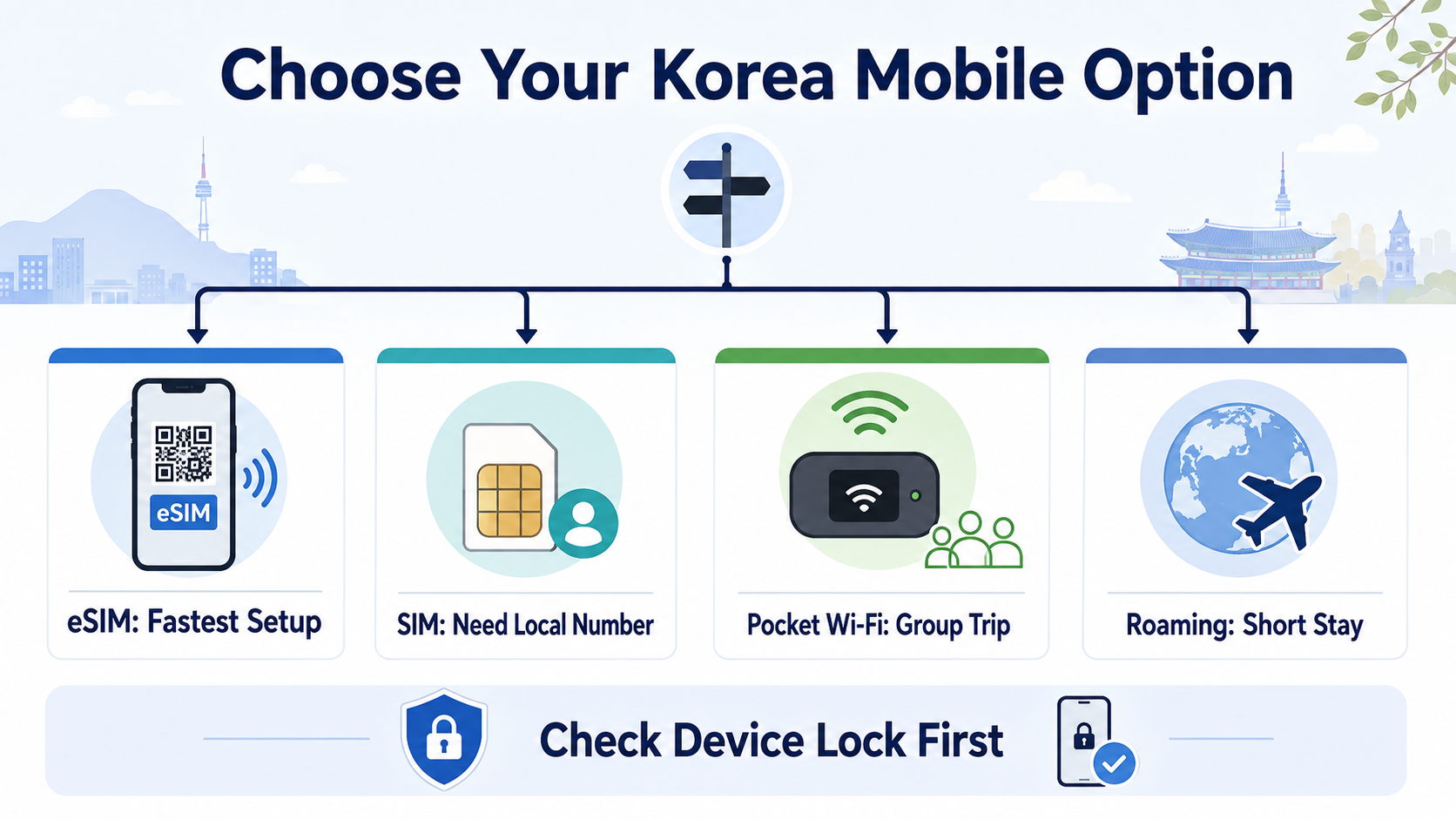
| Option | Best For | Not Ideal If |
|---|---|---|
| eSIM | Solo travelers, business travelers, short trips, people who want instant setup | Your phone does not show an EID or is carrier-locked |
| Physical SIM | Travelers who want counter support, local phone number options, or a familiar setup | You arrive late and do not want to wait at a counter |
| Pocket Wi-Fi | Families, groups, tablet/laptop users, travelers with locked phones | You do not want to carry, charge, and return a device |
| International roaming | Very short stays, business trips, users who need their home number active | Your home carrier charges high roaming fees |
Cost Comparison in 2026
Exact prices change by provider, promotion, validity period, data speed, voice/SMS option, and pickup method. As of September 6, 2026, official carrier pages show that Korea tourist connectivity products are commonly sold by day count, such as 1 day, 3 days, 5 days, 10 days, 20 days, or 30 days. Some pages advertise unlimited data, but travelers should still check speed limits, fair-use policies, network congestion notices, voice/SMS conditions, and refund rules.
| Option | Typical Cost Pattern | Cost Notes |
|---|---|---|
| eSIM | Usually sold by validity period | LG U+ showed examples from KRW 6,500 for 1 day and KRW 27,500 for 5 days on its official page when checked |
| Physical SIM | Usually sold by day count or prepaid package | May include data-only or data+voice options depending on provider |
| Pocket Wi-Fi | Daily rental fee | Can be cost-effective for groups but requires deposit, charging, and return |
| Home roaming | Daily pass or per-GB roaming | Convenient but can be more expensive depending on your home carrier |
For AdSense-safe and reader-safe guidance, do not buy based only on a “cheapest Korea SIM” headline. Check whether the plan includes what you actually need: data speed, hotspot, incoming calls, outgoing calls, SMS, airport pickup, refund rules, and support language.
Do You Need a Korean Phone Number?
A Korean 010 phone number can be useful for restaurant queues, delivery apps, taxi apps, local reservations, and customer service. However, not every travel eSIM or prepaid SIM gives full domestic call and SMS functionality. Some products are data-only. Some allow incoming calls or texts. Some require passport verification before voice or SMS services work.
| Need | What to Choose | What to Check |
|---|---|---|
| Maps, translation, messaging | Data-only eSIM or SIM | Data speed, validity period, hotspot support |
| Restaurant queue SMS or local contact | Plan with incoming SMS or data+voice | Whether SMS works before or after passport verification |
| Domestic outgoing calls | Data+voice eSIM or physical SIM | Outgoing call rate and top-up method |
| Banking or government identity verification | Do not assume tourist SIM is enough | Many short-term SIMs do not support full identity verification |
Device Compatibility Checklist
Before buying a Korea eSIM, check whether your phone supports eSIM. A common method is dialing *#06#. If your phone shows an EID, it generally supports eSIM. You should also confirm that the phone is not carrier-locked and that the model is compatible with Korean networks. Carrier pages may list device exclusions or limitations, so check the provider page before paying.
| Check | Why It Matters | Action |
|---|---|---|
| EID appears | Shows eSIM capability | Dial *#06# or check phone settings |
| Phone is unlocked | Locked phones may reject Korean SIM/eSIM | Ask your home carrier before departure |
| Network compatibility | Some overseas models may have limited bands | Check the carrier compatibility notice |
| Installation internet | eSIM setup may require Wi-Fi or existing data | Install before travel or use airport Wi-Fi |
| Do not delete eSIM | Some providers do not reissue deleted eSIMs | Keep the profile until your trip ends |
Airport Pickup vs Online Purchase
Korea’s major airports, including Incheon, Gimpo, Gimhae, and Jeju, have telecom counters or roaming centers where travelers can buy or pick up SIM cards, eSIMs, Wi-Fi routers, or roaming products. Airport pickup is helpful if you want staff support, but it can take time during peak arrival hours. Online eSIM purchase can be faster, but only if your device is compatible and the plan terms match your needs.
| Purchase Route | Pros | Cons |
|---|---|---|
| Online eSIM before departure | Fast, no physical pickup, ready before landing | Requires compatible unlocked phone and careful setup |
| Airport roaming counter | Staff support, passport verification, SIM pickup | Lines can be long, hours differ by counter |
| Convenience store SIM | Available at some airport and city locations | Plan options and support may be limited |
| Home carrier roaming | No new SIM setup | Can be expensive and may have lower data limits |
Provider Comparison: KT, SK Telecom, LG U+
KT, SK Telecom, and LG U+ all sell traveler connectivity products. For SEO and practical value, the best comparison is not “which carrier is always best?” but “which product rules fit your travel situation?” All three can be good choices depending on pickup location, plan length, voice/SMS needs, and support channel.
| Provider | What to Check | Useful For |
|---|---|---|
| KT | SIM, eSIM, Wi-Fi router, airport customer center, extension rules | Travelers who want major-carrier airport support |
| SK Telecom | eSIM/SIM availability, passport verification, voice/SMS rules, airport counters | Travelers comparing major-carrier prepaid options |
| LG U+ | Data-only vs data+voice, QR setup, eSIM compatibility, refund/reissue rules | Travelers who want clear online eSIM setup information |
Common Mistakes to Avoid
| Mistake | Why It Causes Problems | Better Action |
|---|---|---|
| Buying eSIM without checking EID | Your phone may not support eSIM | Dial *#06# before purchase |
| Assuming data-only eSIM has a phone number | Local calls or SMS may not work | Choose data+voice if you need calls or texts |
| Closing the home SIM line completely | You may miss bank OTP or home-country SMS | Use dual SIM settings carefully |
| Ignoring pickup hours | Late-night arrivals may face limited service | Check airport counter hours before arrival |
| Deleting the eSIM profile too early | Some eSIMs cannot be reissued or restored | Delete only after the trip ends |
Recommended Choice by Itinerary
| Trip Style | Recommended Option | Reason |
|---|---|---|
| 3-day Seoul trip | Short eSIM or roaming pass | Fast setup matters more than complex plan comparison |
| 7-day solo trip | eSIM with enough high-speed data | Good balance of price and convenience |
| 10-30 day travel | eSIM or physical SIM with longer validity | Compare extension rules and data speed |
| Family trip | Pocket Wi-Fi plus one personal eSIM backup | Shared connection can save cost, backup protects against separation |
| Study or work stay | Prepaid SIM first, then local long-term mobile plan | Long-term identity verification and billing needs differ from tourist plans |
Related Korea Travel Guides
- Korea eSIM Guide for Travelers 2026
- Incheon Airport to Seoul Transportation Guide 2026
- Korea Climate Card vs T-Money 2026
- Must Have Apps for Traveling in Korea 2026
- Korea e-Arrival Card 2026
FAQ
Is eSIM better than a physical SIM in Korea?
eSIM is usually better for fast setup if your phone is unlocked and eSIM-compatible. A physical SIM can be better if you want counter support, local voice/SMS options, or your phone does not support eSIM.
Can I buy a Korea eSIM before arriving?
Yes. Major providers and official partners sell prepaid eSIMs online. You typically receive a QR code or setup information by email, but the plan may activate only after connecting to the Korean network.
Do I need a Korean phone number as a tourist?
Not always. For maps, translation, messaging, and web browsing, data may be enough. A Korean 010 number is useful for local calls, SMS, restaurant queues, and some reservation services.
Can a Korea travel eSIM verify banking or government services?
Do not assume it can. Tourist SIM and eSIM products may support calls or SMS but not full identity verification for banking or government services. Check the provider’s notice before buying.
What should I check before buying an eSIM?
Check EID, carrier lock status, supported device models, refund rules, activation deadline, data speed, hotspot support, and whether the plan includes calls or SMS.
Is pocket Wi-Fi still worth it in Korea?
Yes, for groups or travelers with locked phones. It can connect multiple devices, but you must carry it, charge it, and return it before departure.
Where can I buy a Korea SIM card at the airport?
SIM cards and roaming products are available through airport telecom counters and some convenience stores. Locations and hours can change, so check the airport or carrier page before arrival.
Final Takeaway
For most tourists, the Korea SIM vs eSIM decision starts with three checks: phone compatibility, need for a Korean number, and arrival timing. Choose eSIM if you want the fastest setup and your phone supports it. Choose a physical SIM if you need more counter support or voice/SMS options. Choose pocket Wi-Fi for groups or locked phones, and use roaming only when convenience is worth the extra cost.
Official Sources
- KT Roaming official website
- SK Telecom Roaming official website
- LG U+ Korea eSIM official page
- Visit Seoul: Phone & Internet
- Incheon Tourism: Phone & Internet
🏛️ Official Public References
- Official Source: Korea Tourism Organization VisitKorea.