
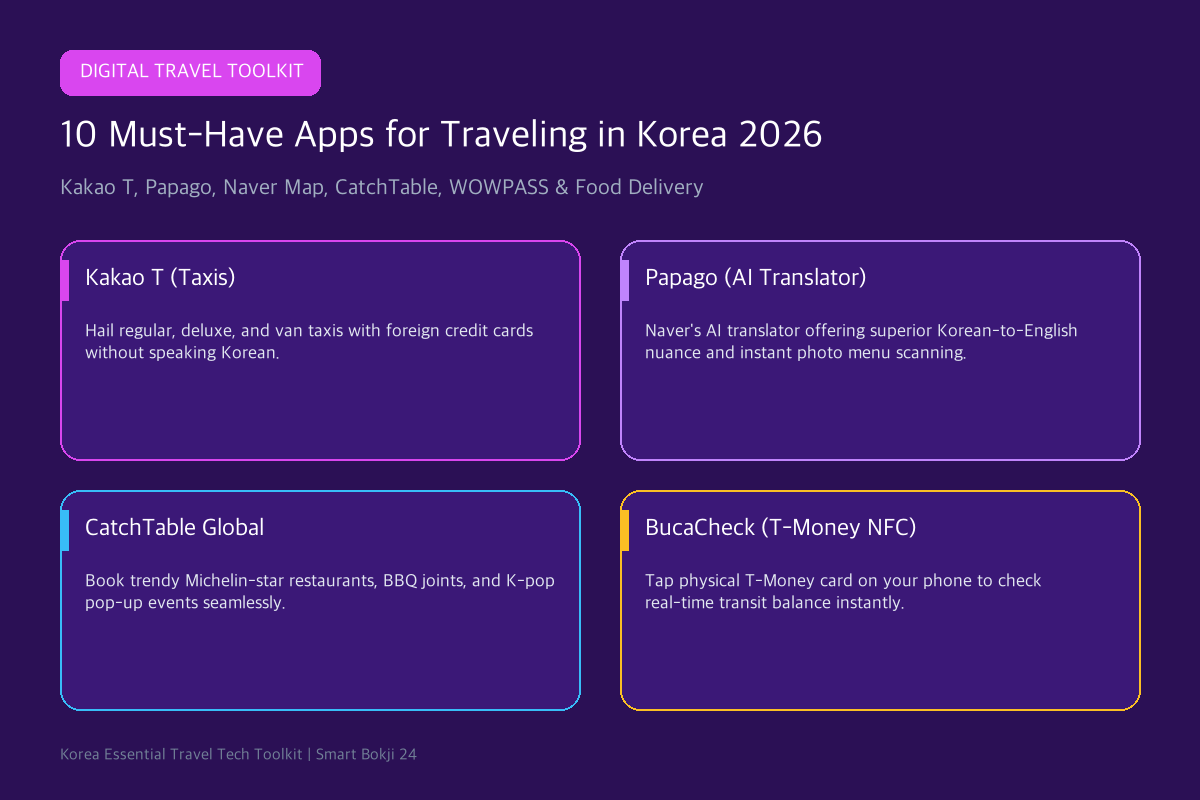
Discover the definitive list of must have apps for traveling in Korea in 2026! From hailing taxis without speaking Korean to scanning restaurant menus with instant AI photo translation, these smartphone tools will make your South Korea travel seamless and stress-free.
1. Must Have Apps for Traveling in Korea: Top 10 Ecosystem
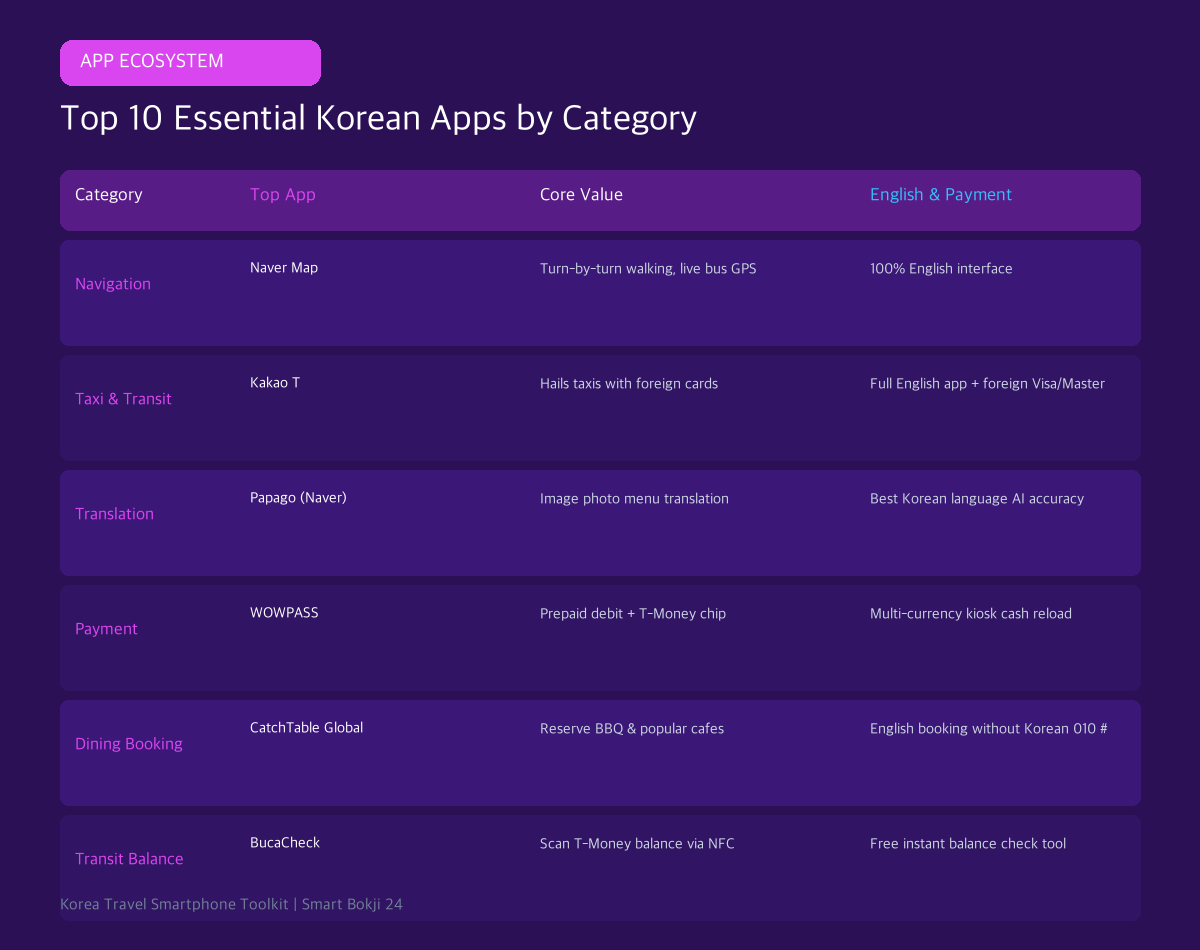
Here is the definitive breakdown of the top 10 travel applications across every essential category:
2. The 5 Most Essential Core Travel Apps
📱 Top 5 Foundational Apps
- 1. Naver Map (네이버 지도): The #1 navigation app in Korea. Provides 100% accurate English walking routes, live bus arrival countdowns, and subway car transfer guides.
- 2. Kakao T (카카오 T): Korea’s Uber equivalent. Allows you to hail regular, deluxe, or van taxis and pay directly using foreign Visa/Mastercard without needing cash.
- 3. Papago (파파고): Naver’s AI-powered translator. Far more accurate than Google Translate for Korean honorifics, menu photo scanning, and voice conversations.
- 4. WOWPASS: The ultimate all-in-one tourist prepaid card app. Monitor your spending balance, enjoy brand cashbacks, and freeze lost cards instantly.
- 5. CatchTable Global (캐치테이블): Book trendy Michelin-star restaurants, Korean BBQ spots, and cafes without needing a Korean 010 phone number.
- Official Source: Korea Tourism Organization (VisitKorea).
- Official Source: Seoul Tourism Official Portal.
3. Step-by-Step Smartphone Setup Guide
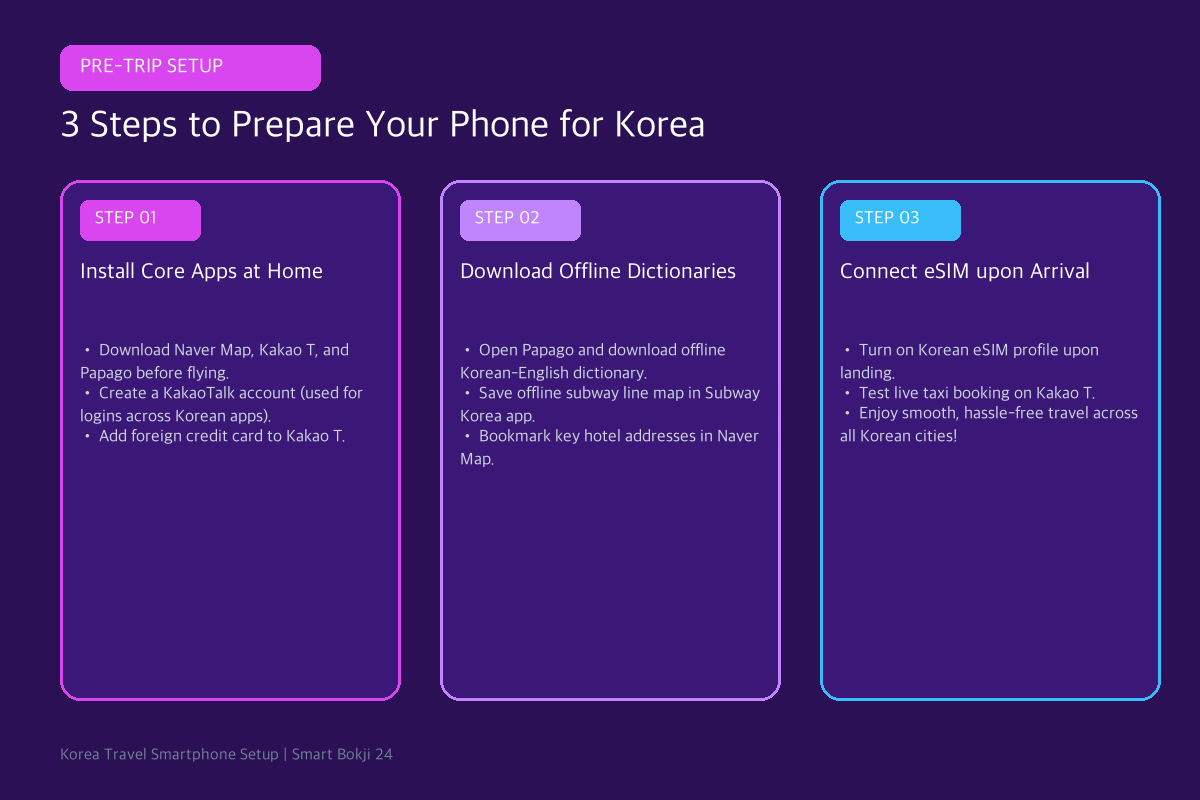
- Step 1: Install Core Apps at Home: Download Naver Map, Kakao T, Papago, and WOWPASS before departure while connected to stable home Wi-Fi.
- Step 2: Create a KakaoTalk Account: KakaoTalk is Korea’s universal messaging app. Many Korean travel apps allow ‘Sign in with Kakao’, saving you time during your trip.
- Step 3: Download Offline Dictionaries: Open Papago and download the offline Korean-English language pack so you can translate signs and menus even without cellular data.
4. Frequently Asked Questions (FAQ)
Q1: Can I use Uber in South Korea?
Yes. Uber operates in Korea under the brand name UT (Uber Taxi), which connects directly to licensed local Korean taxis.
Q2: What is the best app to order food delivery in English?
Shuttle Delivery and Baemin (Baedal Minjok) offer convenient English interfaces and accept foreign credit card payments for hotel and Airbnb food delivery.
🔗 Recommended Travel & Shopping Guides
- Get the ultimate all-in-one payment card: Read our WOWPASS Korea Card Guide 2026.
- Claim duty-free refunds at stores: Check the Complete Korea Tax Refund Guide 2026.
- Official Source: Korea Tourism Organization (VisitKorea).
- Official Source: Seoul Tourism Official Portal.
Build your app set around the trip, not a top-10 list
A short-stay visitor usually needs one map app, one transport-payment plan, a translation tool, and access to official booking or immigration pages. Installing several apps that solve the same problem adds account setup and notification clutter without improving the trip. Download large offline language packs and save essential addresses before leaving reliable Wi-Fi.
What to save before arrival
- Your accommodation name, Korean address, and phone number
- Airport transfer booking and terminal details
- Passport and insurance contacts stored securely, not in a public photo album
- An offline route from the airport to the first accommodation
App availability, identity verification, and foreign-card acceptance can change. Use official app-store listings and avoid APK download sites or unofficial pages asking for passport data.